ACTION
Popsicle Stack
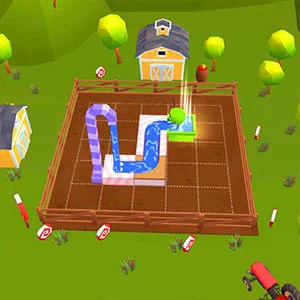
Play Popsicle Stack right in your browser. Press Play when you are ready to load the game.
About this game
Controls
- Keyboard: Most arcade and puzzle embeds use arrow keys or WASD; platformers often use Space to jump. Click inside the game frame after loading so keystrokes reach the canvas.
- Mouse: Menus and drag puzzles usually follow normal click / drag patterns.
- Touch: On phones, use two thumbs for virtual sticks or tap targets as labeled in-game.
- Fullscreen: Use our Fullscreen control for a cleaner view; exit with Esc on desktop.
Press Play to load the game and start playing.
If keys stop working, click once inside the game surface.
Tips
- Close other heavy tabs so the WebGL / canvas thread keeps a steady frame rate.
- If audio is blocked, interact with the game once—browsers require a gesture for sound.
- If the game shows a blank screen after Play, try Reload and give it a moment to load fully.
- Prefer wired headphones on mobile; Bluetooth adds latency for rhythm titles.
Browser compatibility
Current versions of Chrome, Edge, Firefox, and Safari generally run these games well. Internet Explorer is not supported. If a game needs extra permissions like sound or cookies, your browser may ask after you press Play.
Mobile support
Many titles scale to phones; some expect landscape. On iOS, use Safari for the fewest surprises. If the frame feels small, rotate the device or use Fullscreen. Performance varies by chipset—older phones may heat up during longer sessions.
FAQ
Do I need to download Popsicle Stack?
No download is needed. The game opens in your browser after you click Play.
Who hosts the game files?
Game files are usually hosted by the creator or their distribution partner, while this page gives you access to the playable version.
Why wait for Play before the iframe loads?
This helps the page stay faster and gives you control over when the game starts loading.
What data does the embed see?
Third parties may set their own cookies once loaded. See our Privacy page for how we handle first-party data.
DMCA or broken link?
Contact [email protected] with the game URL and your relationship to the work. We review notices promptly.